
Redirect HTTP to HTTPS in Azure app service on the Sitecore website
Published: 18 November 2022

One of our Sitecore websites is being run on Azure App Services. As its on HTTPS, whenever the users try to access it using the HTTP protocol, they get a permission error. So, how can you redirect from http: // www . demowebsite. com to https: // www. demowebsite . com?

Please follow the below steps in your Azure portal:
- Login to Azure
- Open your resource group such as dev or production
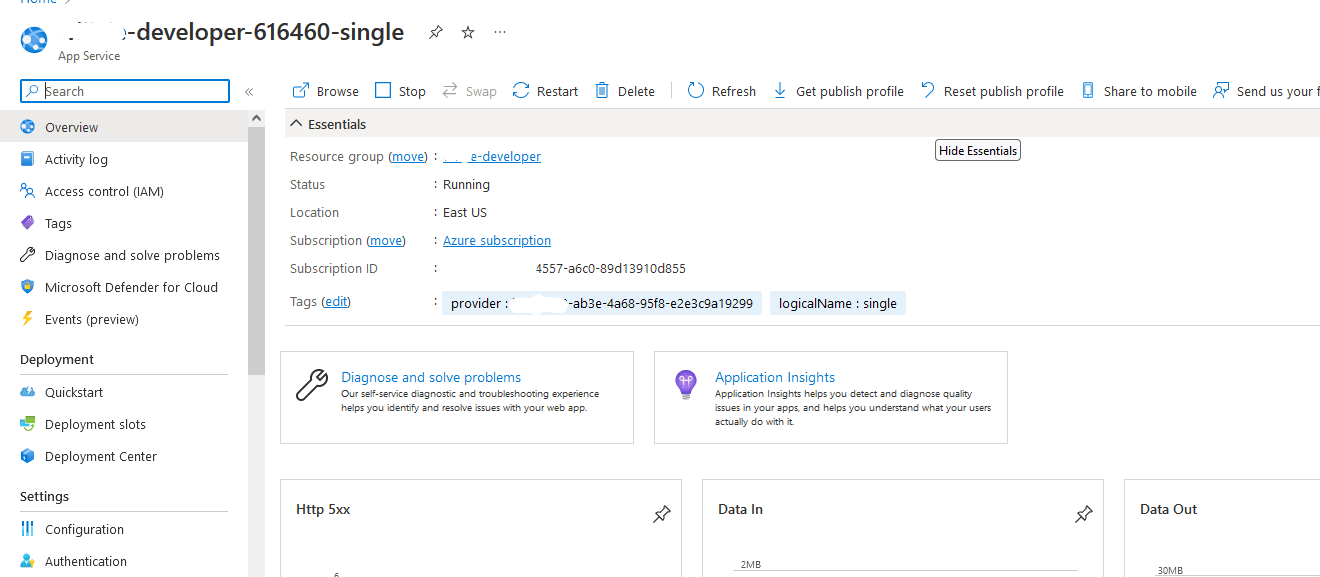
- Open your Sitecore Azure App Service, its name should be "sitecoredemo10-123456-single" or something similar to it. (You can refer to the below image for reference)
- Search the “Custom Domain” keyword in the left panel and select it.
- In this, you will see “HTTPS ONLY” option. Turn it on as given in the below image.
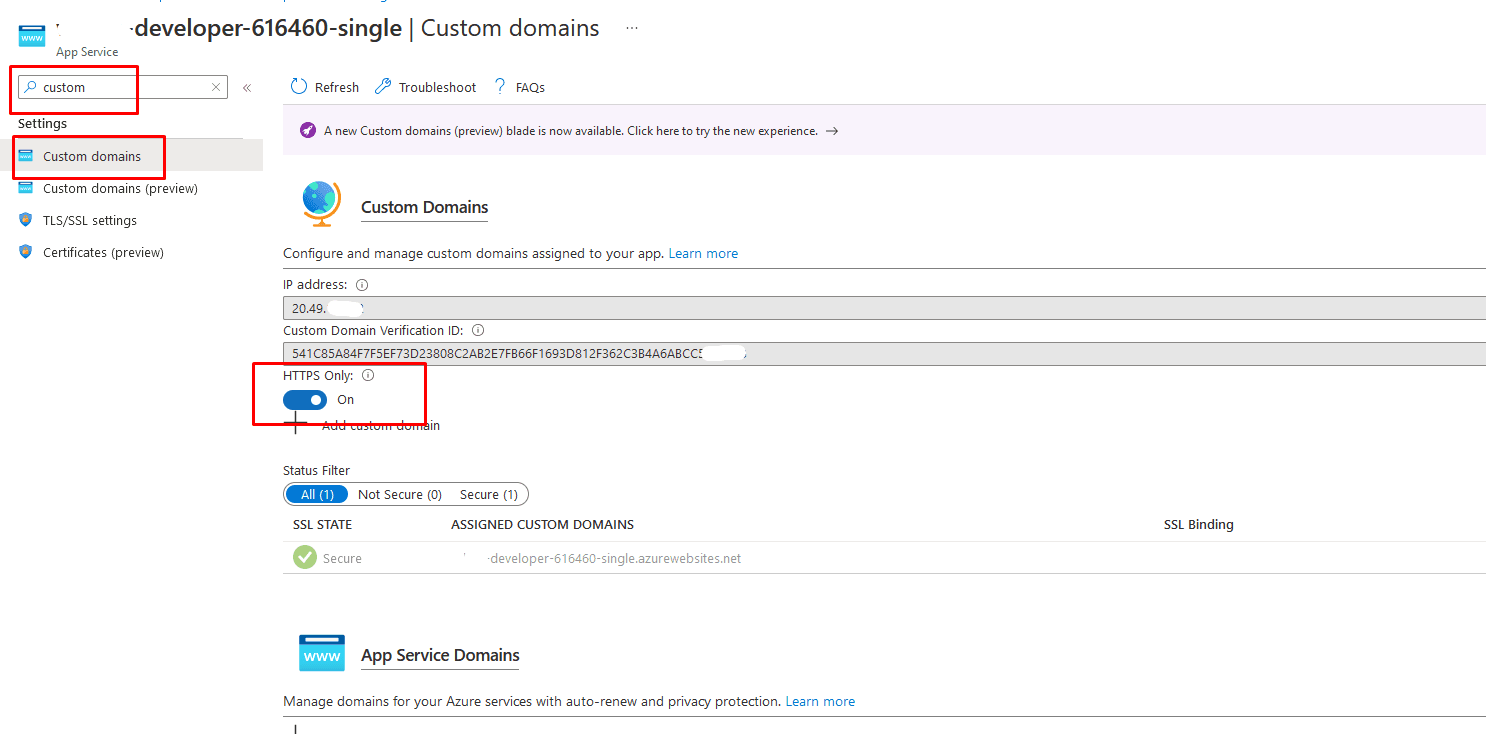
This will take a few seconds but once it is done, and the changes are saved successfully, your http: // www . demowebsite. com should easily redirect to https: // www. demowebsite . com

Mitesh Patel || Chief Technology Officer (CTO) | ADDACT
Sitecore AI Certified || XMCloud || OrderCloud Certified
Mitesh Patel is the Chief Technology Officer (CTO) at Addact with 12+ years of experience in enterprise CMS, digital experience platforms, and cloud-native application development. He specializes in Sitecore, Contentful, Strapi, Kentico, Umbraco, Contentstack, and .NET, helping organizations build scalable, secure, and future-ready digital solutions through modern CMS, headless architectures, AI-driven experiences, and cloud technologies.