
Safely Deleting Components in SitecoreAI with a Custom Component Toolkit
Published: 30 April 2026
Introduction
In the SitecoreAI Component Toolkit, we previously explored how to safely move and refactor components without breaking dependencies.
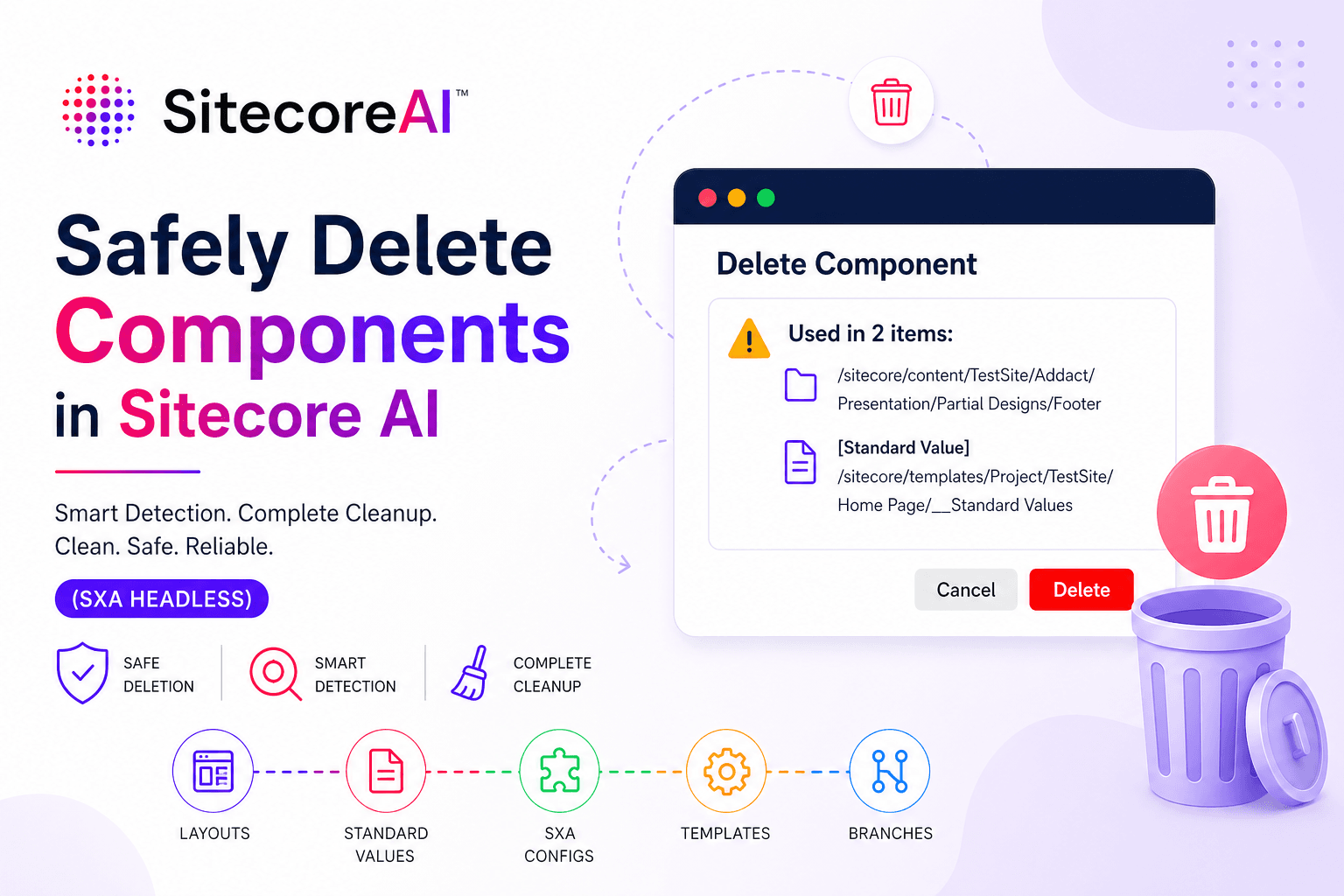
In this blog, I’m extending the toolkit further by introducing a new module focused on completely deleting a component from the site — ensuring all references, configurations, and dependencies are cleanly removed without leaving behind broken or orphaned elements.
Deleting a component in SitecoreAI is not just a delete action — it’s a dependency management challenge.
In SXA Headless environments, a single rendering can be referenced across multiple layers:
- Partial Designs
- Page Template Standard Values
- Pages
- SXA configurations
- Available Renderings
- Branch templates
Deleting it directly often results in:
❌ Broken layouts
❌ “Unknown rendering” errors
❌ Hidden configuration issues
To solve this, I built a Delete Component feature as part of a custom Component Toolkit — designed specifically for safe and complete removal.
GitHub Repository: SitecoreAI-Component-Toolkit
Step 1: Creating a Component
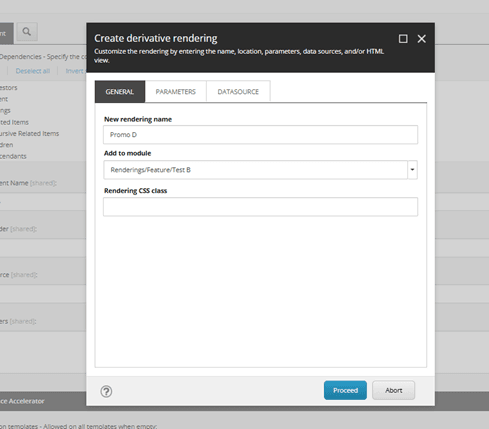
We start by creating a rendering (Promo D) using Sitecore’s derivative rendering flow.
This automatically provisions:
- Rendering definition
- Datasource template
- Supporting configuration
Step 2: Component Structure
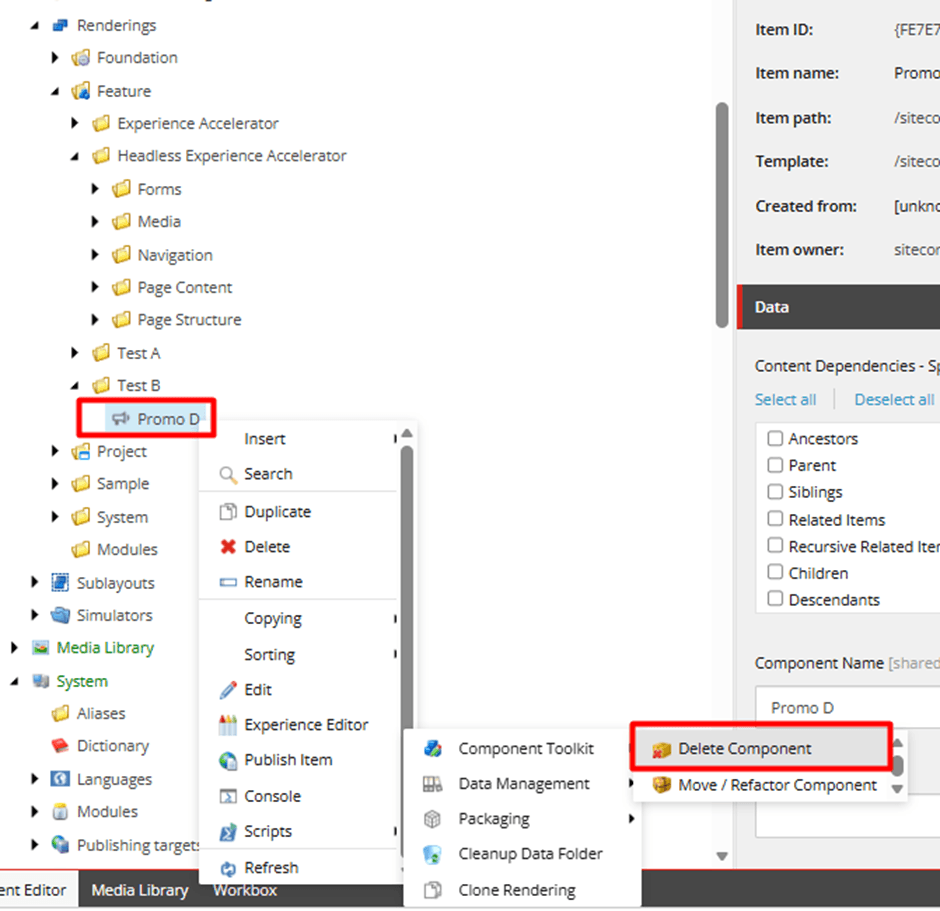
The component is organized under the Feature layer following Helix principles.
Step 3: SXA Configuration
SXA automatically wires:
- Data item creation rules
- Rendering availability in the site
Step 4: Associated Templates
Behind the scenes, multiple templates are created:
- Datasource Template
- Folder Template
- Rendering Parameters
Step 5: Available Renderings Registration
The component is registered so authors can use it within pages.
Step 6: Usage in Standard Values
The component is configured in:
👉 Page Template → Standard Values
This means it automatically appears across pages using that template.
Step 7: Usage in Partial Designs
It is also used in:
👉 Partial Designs (e.g., Footer)
This makes it globally reusable across multiple pages.
The Real Challenge
At this point, the component is deeply integrated.
Deleting it directly would:
- Break Partial Designs
- Break Standard Values
- Affect multiple pages
- Leave behind orphaned configurations
Step 8: Delete Component (Component Toolkit)
To address this, a custom option was introduced:
👉 Component Toolkit → Delete Component
This provides a controlled deletion workflow.
Step 9: Smart Usage Detection
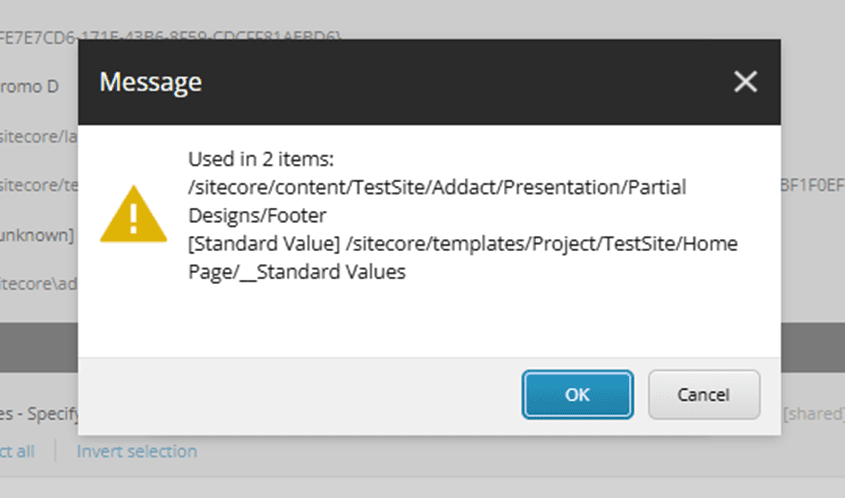
Before deletion, the system detects all dependencies and shows:
- Partial Designs using the component
- Standard Values using the component
- Any other references
This ensures full visibility before action.
Step 10: Safe Cleanup Process
Instead of direct deletion, the system performs a safe cleanup workflow:
- Removes component references from layouts
- Cleans Partial Designs
- Cleans Standard Values
- Updates SXA configurations
- Removes availability references
Only after everything is clean → deletion proceeds.
Step 11: Confirmation
A confirmation ensures the Detect Dependency successfully:
👉 Get link references
👉 List used renderings
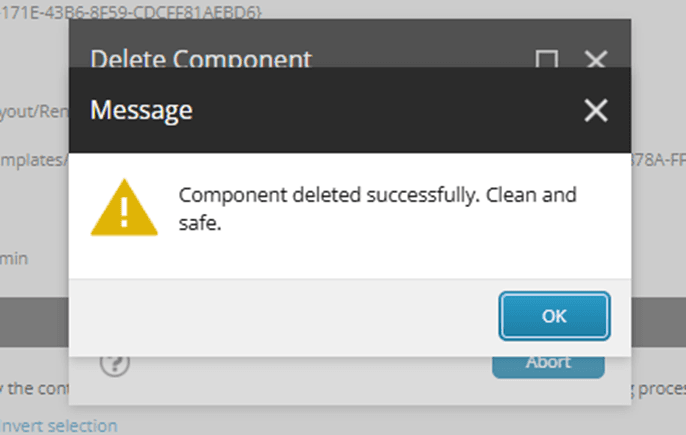
Step 12: Final Deletion
Once all dependencies are removed:
- Templates are cleaned
- SXA configurations are removed
- Rendering is deleted safely
Explore the Toolkit
This Delete Component feature is part of a broader toolkit designed to simplify component lifecycle management in Sitecore SitecoreAI.
👉 GitHub Repository:
https://github.com/dhruvil9033/sitecoreai-component-toolkit
If this helps you:
- ⭐ Star the repository
- Share with the Sitecore community
- Contribute improvements
Why This Matters in SitecoreAI
In SitecoreAI:
- Headless architecture increases dependency spread
- SXA introduces implicit configurations
- Multi-site setups increase complexity
👉 A safe deletion mechanism becomes essential.
Final Thoughts
This solution was built to address real-world challenges:
- Broken layouts after deletion
- Hidden dependencies in SXA
- Inconsistent behavior across environments
Now, with a structured approach:
✔ Safe deletion
✔ Complete cleanup
✔ Reusable toolkit
If you’re working with SitecoreAI + SXA Headless, this approach will help you avoid critical issues during component lifecycle management.

Dhruvil Gajera || Senior Software Engineer
Senior Software Engineer – SitecoreAI & XM Cloud
Dhruvil is a Sitecore professional with 4+ years of experience specializing in SitecoreAI, XM Cloud, Sitecore XP, and SXA. He builds scalable, headless, and AI-enabled digital experience platforms using .NET, Next.js, and modern DevOps practices.
With hands-on expertise in multisite architecture, component-driven development, CI/CD pipelines, and cloud deployments, Dhruvil focuses on delivering high-performance, enterprise-ready CMS solutions aligned with composable DXP strategies.