
How to Safely Refactor Components in SitecoreAI/XMCloud with the Component Toolkit
Published: 24 February 2026
Introduction
Moving components across Helix modules in Sitecore (especially SXA Headless / XM Cloud setups) is not as simple as dragging a rendering from one folder to another. When you clone or misplace a component, multiple dependent artifacts get created across the Sitecore tree. Manually fixing this is risky and time-consuming.
That’s why I built SitecoreAI Component Toolkit — an automated Helix-aware refactor utility.
GitHub Repository: Sitecore-Component-Toolkit
The Real-World Scenario
Let’s use a clean example.
You have two Feature modules:
- Feature/Test A
- Feature/Test B
Inside them:
- Test A → contains component Promo A
- Test B → contains component Promo B
Now imagine:
You accidentally cloned Promo B under Feature/Test B,
but it actually belongs in Feature/Test A.
Moving only the rendering is NOT enough.
You must also move:
- Datasource Template
- Folder Template
- Rendering Parameters
- Branch Templates
- Default Variant Branch
- SXA Headless Settings
- Available Renderings references
- Content-level Available Renderings
- Rebind Datasource Template
Miss one step → broken component.
The Solution Component Toolkit
The toolkit adds a right-click command:
Move / Refactor Component
It analyzes the selected Json Rendering and safely moves everything related to it.
Installation (With Visual Guide)
Step 1 : Install the Package
Go to:
/sitecore/admin/PackageInstaller.aspx
You will see the install screen:
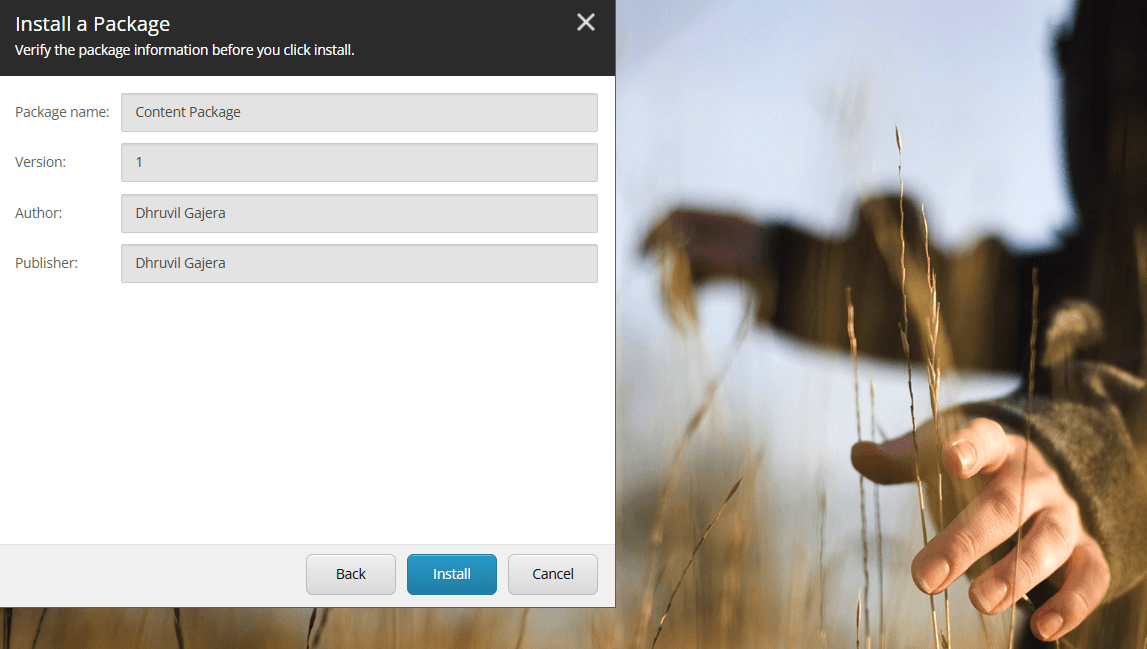
Upload:
SitecoreAI.ComponentToolkit.1.0.0.zip
Click Install.
Step 2 : Locate a Rendering
Navigate to:
/sitecore/layout/Renderings/Feature/Test B/Promo B
Right-click the rendering.
You will see:
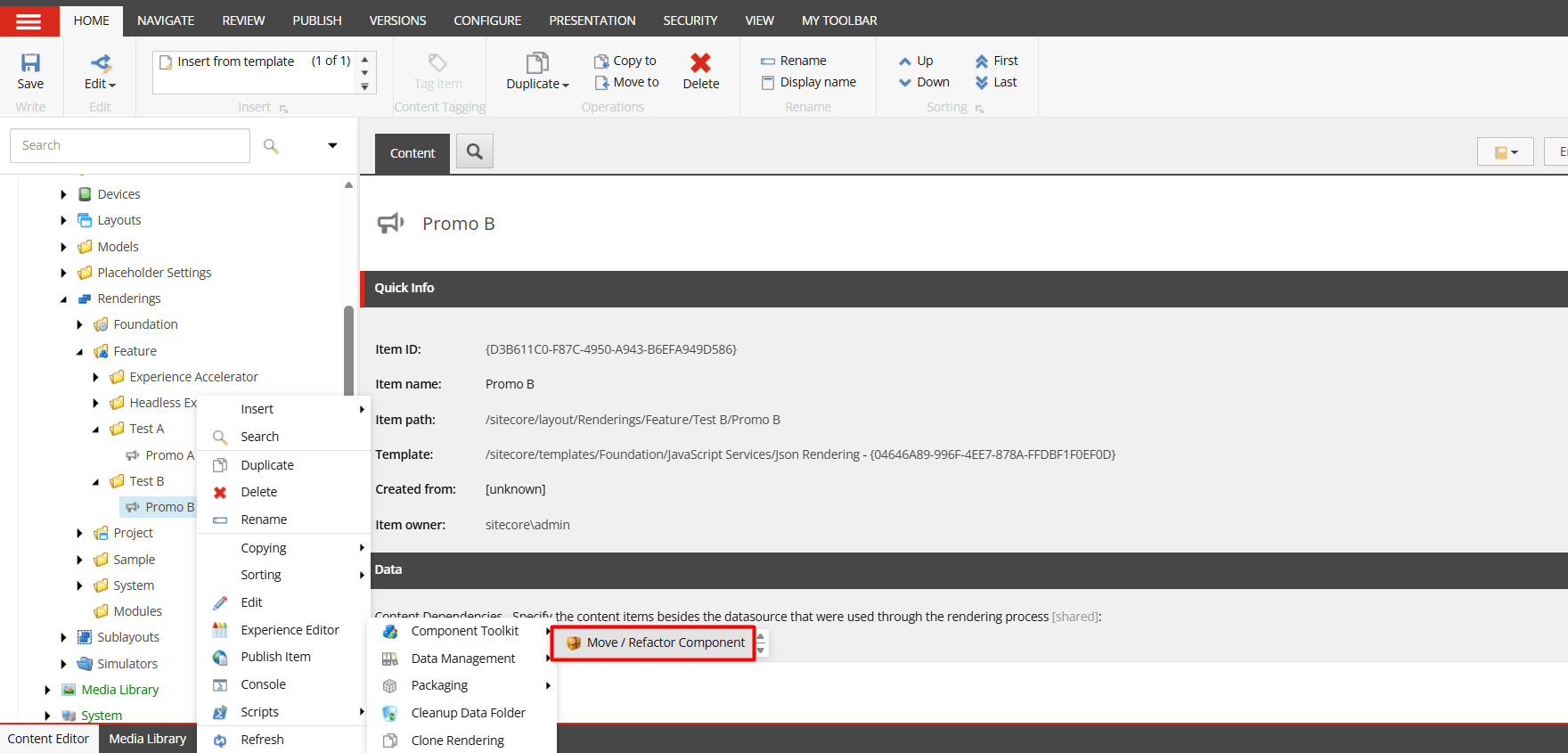
Select:
Move / Refactor Component
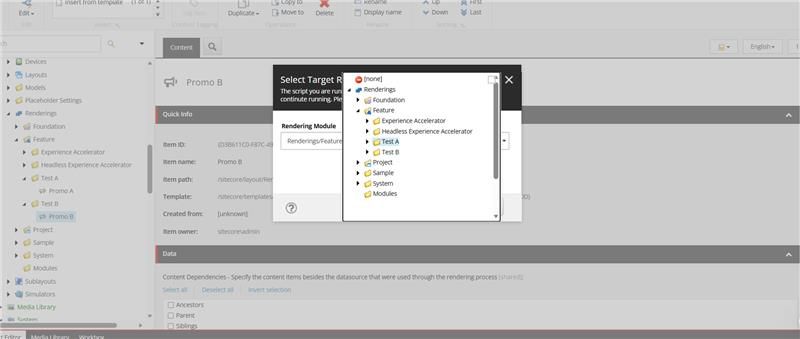
Step 3 : Select Target Module
You will be prompted to choose the destination module.
In this example:
Move from: Feature/Test B
To: Feature/Test A
Step 4 : Select Artifacts to Move
The tool intelligently detects everything related to Promo B.
You will see a structured checklist like:
- Move Template: Promo B
- Move Folder Template: Promo B Folder
- Move Rendering Parameters
- Move Setting: Add Promo B Data Item
- Move Rendering Variant
- Move Rendering: Promo B
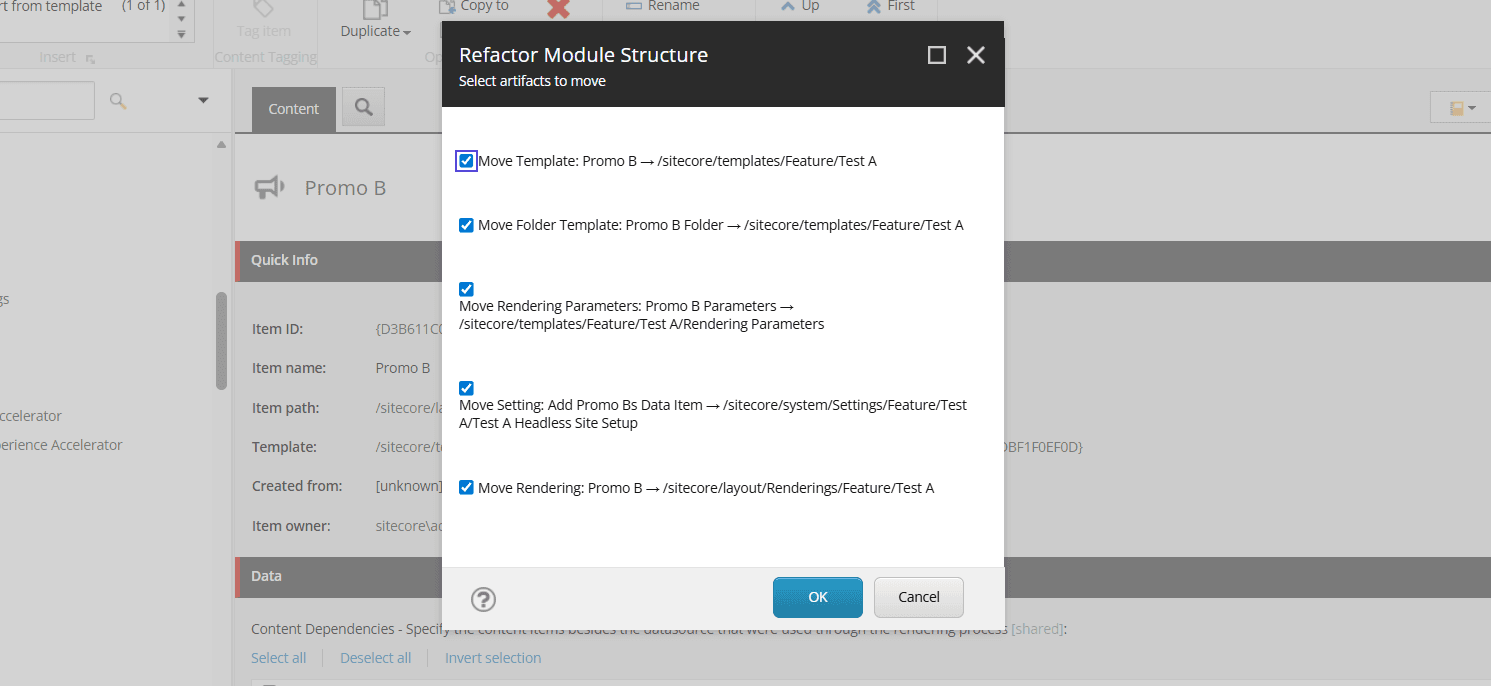
Click OK.
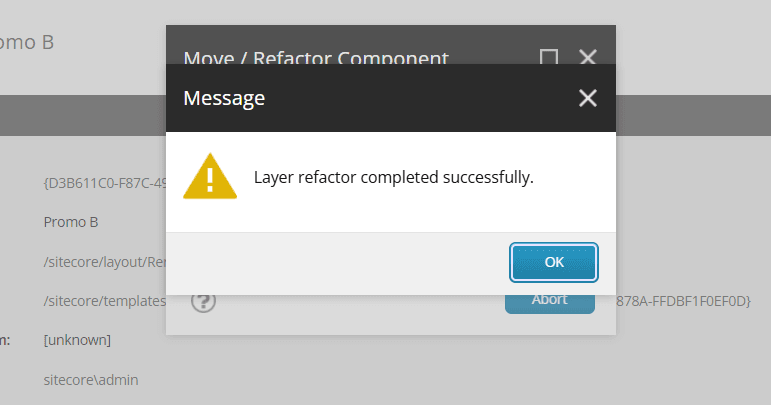
Step 5 : Success Confirmation
You will see:
Layer refactor completed successfully.
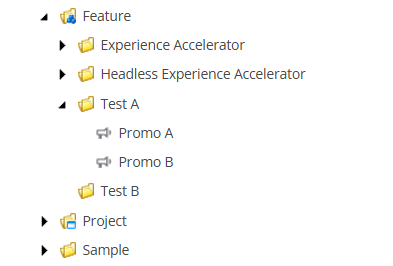
Step 6 : Verify Structure
Now under:
/sitecore/layout/Renderings/Feature/Test A
You will see:
- Promo A
- Promo B
The entire component structure has been moved safely.
What the Toolkit Automatically Handles
When moving Promo B from Test B → Test A, it:
✔ Moves
- Datasource Template
- Folder Template
- Rendering Parameters Template
- Branch Template
- Default Variant Branch
- SXA Headless “Add Data Item”
- Rendering Variant
- Json Rendering
- image.png
✔ Updates References
- Rebinds Datasource Template field
- Removes Available Renderings reference from Test B
- Adds Available Renderings reference to Test A
- Updates content-level Available Renderings
- Prevents duplicate multilist entries
Why This Matters
In enterprise Helix solutions:
- Components get cloned frequently
- Modules evolve
- Structure drifts
- Architecture breaks silently
Manual refactoring is dangerous.
This tool ensures:
- Structural integrity
- SXA stability
- Helix compliance
- Safe forward and backward moves
Supported Architecture
Designed for:
- Sitecore 10.2+
- SitecoreAI / XM Cloud
- SXA Headless
- Helix-based solutions
- Sitecore PowerShell Extensions 6.4+
GitHub Repository
👉 https://github.com/dhruvil9033/sitecoreai-component-toolkit
If this helps you:
- ⭐ Star the repository
- Share with the Sitecore community
- Contribute improvements

Dhruvil Gajera || Senior Software Engineer
Senior Software Engineer – SitecoreAI & XM Cloud
Dhruvil is a Sitecore professional with 4+ years of experience specializing in SitecoreAI, XM Cloud, Sitecore XP, and SXA. He builds scalable, headless, and AI-enabled digital experience platforms using .NET, Next.js, and modern DevOps practices.
With hands-on expertise in multisite architecture, component-driven development, CI/CD pipelines, and cloud deployments, Dhruvil focuses on delivering high-performance, enterprise-ready CMS solutions aligned with composable DXP strategies.