
SitecoreAI Content Bridge Marketplace Application
Published: 21 August 2026
Why We Created This Application
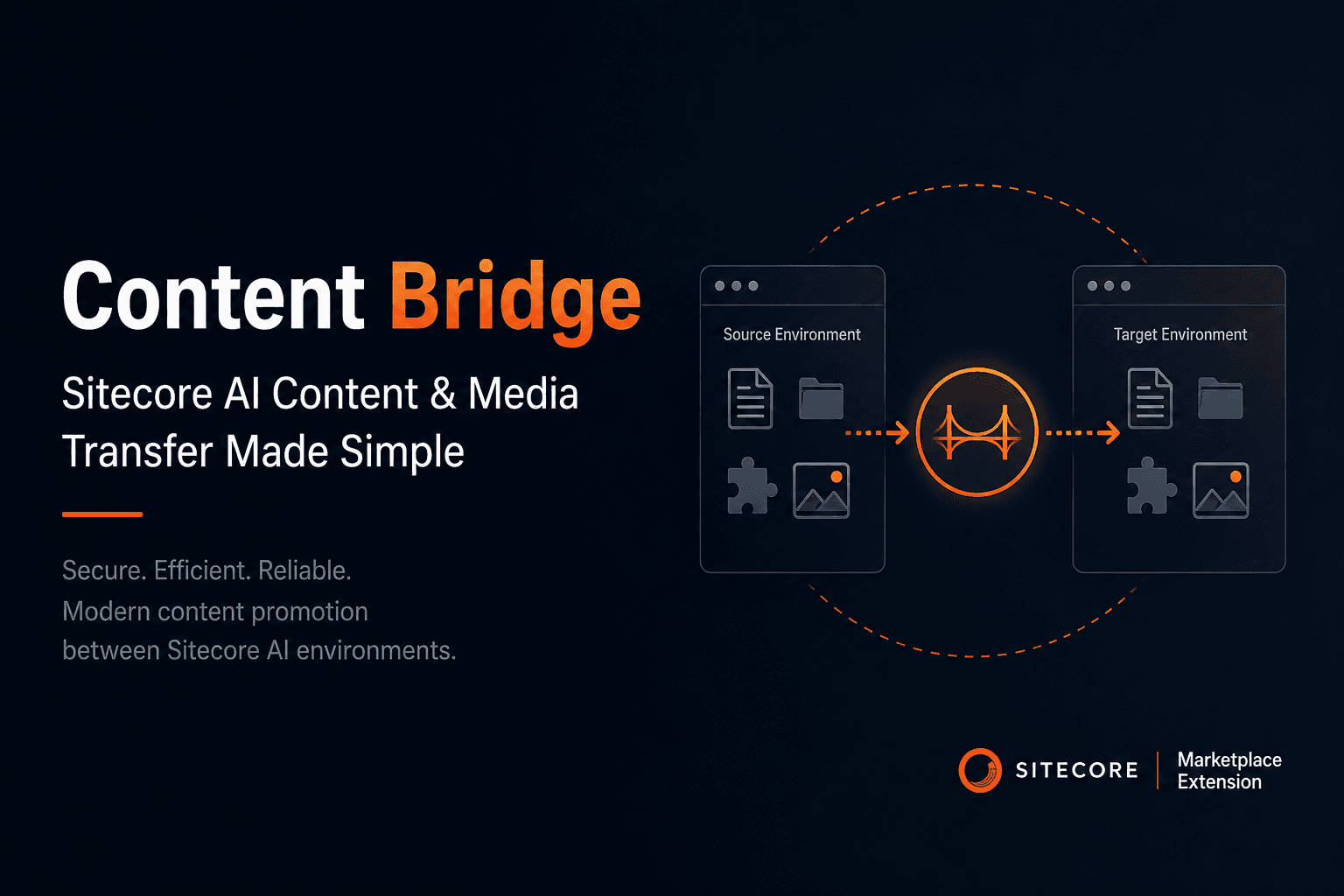
Content Bridge was developed to provide a modern, secure, and business-friendly solution for transferring Sitecore AI content and media between environments. As organizations adopt Sitecore AI and Marketplace-based applications, traditional Sitecore package-based workflows have become less practical and are no longer the recommended approach for content promotion.
Previously, teams relied on Sitecore packages to export content from one environment and import it into another. This process involved creating packages, downloading files, manually installing them, and validating the transferred content. While effective in earlier Sitecore implementations, the workflow was time-consuming, required technical expertise, offered limited visibility into transfer progress, and increased the risk of manual errors.
Content Bridge replaces this legacy approach with a Marketplace application that communicates directly with Sitecore AI through authenticated APIs. Instead of creating and installing packages, users can select the required pages, folders, components, data items, and media assets through an intuitive user interface and initiate transfers between authorized environments. The application provides real-time progress tracking, detailed transfer logs, retry support for failed operations, and complete audit information, ensuring a reliable and transparent content promotion process.
The primary goal of Content Bridge is to empower content authors, QA teams, release managers, and administrators to move content independently without relying on custom scripts or developer intervention. By standardizing the content promotion process, the application improves operational efficiency, reduces deployment time, and minimizes the possibility of human error.
Key Objectives
- Replace legacy Sitecore package-based content transfer workflows with a modern API-driven solution.
- Enable controlled and secure content promotion between Sitecore AI environments.
- Provide a user-friendly interface that can be used by both technical and non-technical users.
- Eliminate manual package creation, file transfers, and installation steps.
- Improve deployment reliability through progress tracking, retry capabilities, and validation.
- Maintain complete audit visibility by recording transfer history, execution status, timestamps, and initiating users.
- Support faster, more consistent release processes while aligning with modern Sitecore AI and Marketplace best practices.
Application Overview
Content Bridge is a modern web application built using Next.js, React, and TypeScript, and is delivered as a Sitecore Marketplace extension. The application provides a centralized interface for securely transferring content and media between Sitecore AI environments. It integrates with the Sitecore Marketplace SDK to authenticate users, retrieve environment information, and communicate with Sitecore AI APIs throughout the content transfer process.
The application is implemented as a Standalone Extension, with the primary user experience rendered through the reusable ContentBridgeApp component. When launched, it initializes the Marketplace context, retrieves the user's resource access, discovers the available Sitecore AI environments, loads the content and media hierarchy, and manages the complete transfer lifecycle, including validation, execution, progress tracking, retries, and audit logging.
The architecture follows a modular approach, separating user interface components, business logic, API services, and utility functions to improve maintainability, scalability, and ease of future enhancements.
Technology Stack
- Framework: Next.js 15 with React 19 and TypeScript.
- Sitecore Integration: Uses @sitecore-marketplace-sdk/client and @sitecore-marketplace-sdk/xmc for authentication, context, and XM Cloud communication.
- Primary Feature Module: src/features/content-bridge
- Main Entry Route: src/app/standalone-extension/page.tsx
- Core UI Component: src/features/content-bridge/components/ContentBridgeApp.tsx
- Transfer Service: src/features/content-bridge/services/contentBridgeService.ts
Technical Details
Content Bridge is built using a modern, modular architecture that integrates seamlessly with the Sitecore Marketplace platform. The application initializes a Marketplace SDK client in the browser using window.parent as the communication target and registers the Sitecore AI (XMC) module. SDK initialization, loading state, retry logic, and error handling are centralized within the useMarketplaceClient hook, providing a consistent and reliable connection to the Marketplace host.
Once initialized, the application retrieves the Marketplace application context, including tenant information and resource access details. These resource access entries are translated into available source and destination environments that users can select for content transfers. To promote safer deployment practices, production environments are currently excluded from the list of selectable destinations.
Content and media browsing is implemented using Sitecore AI Authoring GraphQL APIs. The application loads the content hierarchy starting from /sitecore/content and the media hierarchy from /sitecore/media library. Each node is transformed into a standardized ContentTreeItem model containing essential information such as item ID, name, path, child nodes, dependency placeholders, and lazy-loading indicators. Child items are loaded on demand, allowing the application to efficiently navigate large content trees without impacting performance.
Transfer history is maintained locally within the browser using the contentbridge_transfers localStorage key. Transfer records are retained for up to 180 days and include metadata such as selected items, merge strategy, transfer progress, execution status, failure details, chunk information, generated transfer file names, and audit log entries. This provides users with complete visibility into previous transfer operations and simplifies troubleshooting.
Technical Highlights
- Authentication is managed through the Sitecore Marketplace SDK, eliminating the need for users to manually authenticate within the application.
- A server-side endpoint (
/api/auth/token) is available for client credentials token exchange, although the primary application workflow relies on Marketplace SDK authentication. - The application continuously monitors transfer execution by polling transfer status every five seconds while the extension is active.
- Transfer errors are displayed within the user interface and are also recorded in the transfer audit log to support diagnostics and operational visibility.
- The modular architecture separates UI components, business logic, API services, and utility functions, making the application easier to maintain and extend.
Business Logic Implemented
The application models content promotion as a guided transfer request. Users select the source environment, destination environment, content and media items, and merge strategy. The system then creates a Sitecore Content Transfer request and applies the generated package chunks to the destination environment.
- Environment selection: users choose where content is copied from and where it will be applied.
- Tree selection: users can select individual items or entire subtrees. Subtree selection loads descendants before adding them to the transfer.
- Content and media handling: the UI displays Sitecore content and Media Library as separate tree sections, but selected IDs are submitted together as transfer data trees.
- Merge strategy mapping: overwrite maps to
OverrideExistingItem, merge maps toLatestWin, and skip existing maps toKeepExistingItem. - Status model: draft, ready, creating, queued, transferring, completed, and failed.
- Progress model: creating begins around 5 percent, queued around 10 percent, chunk transfer begins around 20 percent, destination consumption starts around 85-90 percent, and completion is 100 percent.
- Retry behavior: failed transfers can be retried. The service attempts best-effort deletion of the previous content transfer and creates a new request using the same transfer settings.
- Audit trail: important lifecycle events are recorded, including request creation, chunk extraction, chunk save, chunk set completion,
consumeFileattempts, blob state, completion, and failure details.
Standalone Extension Page Details
The standalone extension route is located at src/app/standalone-extension/page.tsx. It is a client-side route that imports and renders ContentBridgeApp. This makes the standalone page the production-facing entry point for the complete Content Bridge experience.
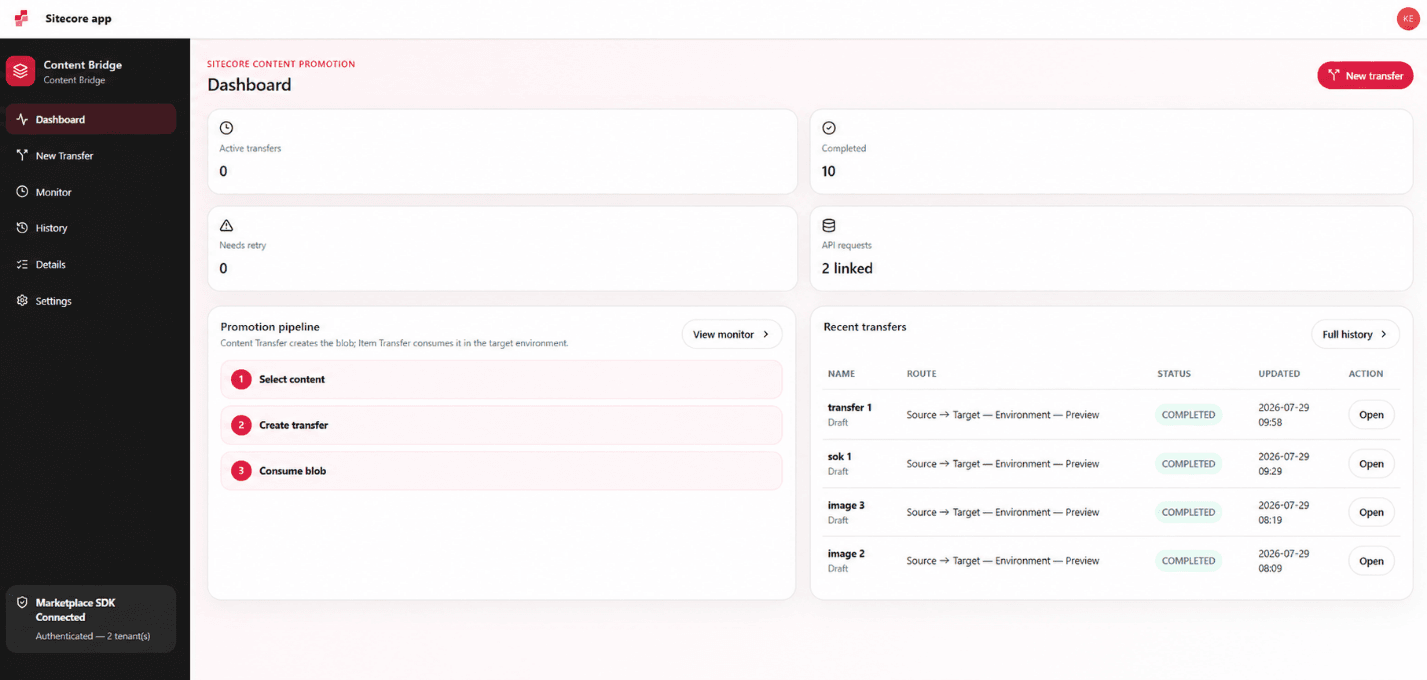
The standalone extension is useful because it gives users a full workspace instead of a small embedded widget. The UI includes sidebar navigation, dashboard metrics, transfer wizard, live monitor, history table, transfer detail view, settings, SDK status, and API readiness indicators.
- Dashboard: shows transfer counts, active transfers, failed transfers, connected environments, and API link readiness.
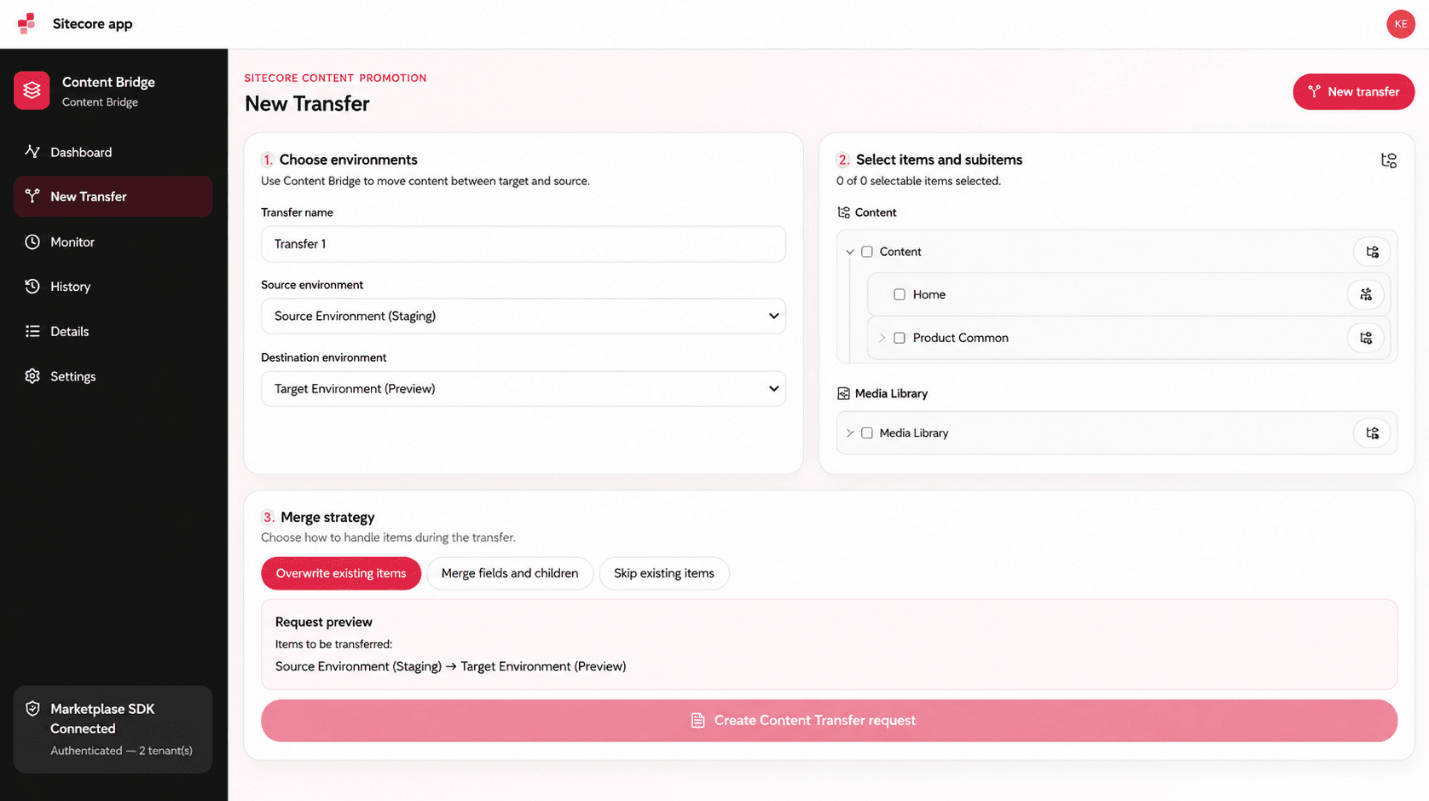
- New Transfer: guides users through environment selection, item selection, and merge strategy.
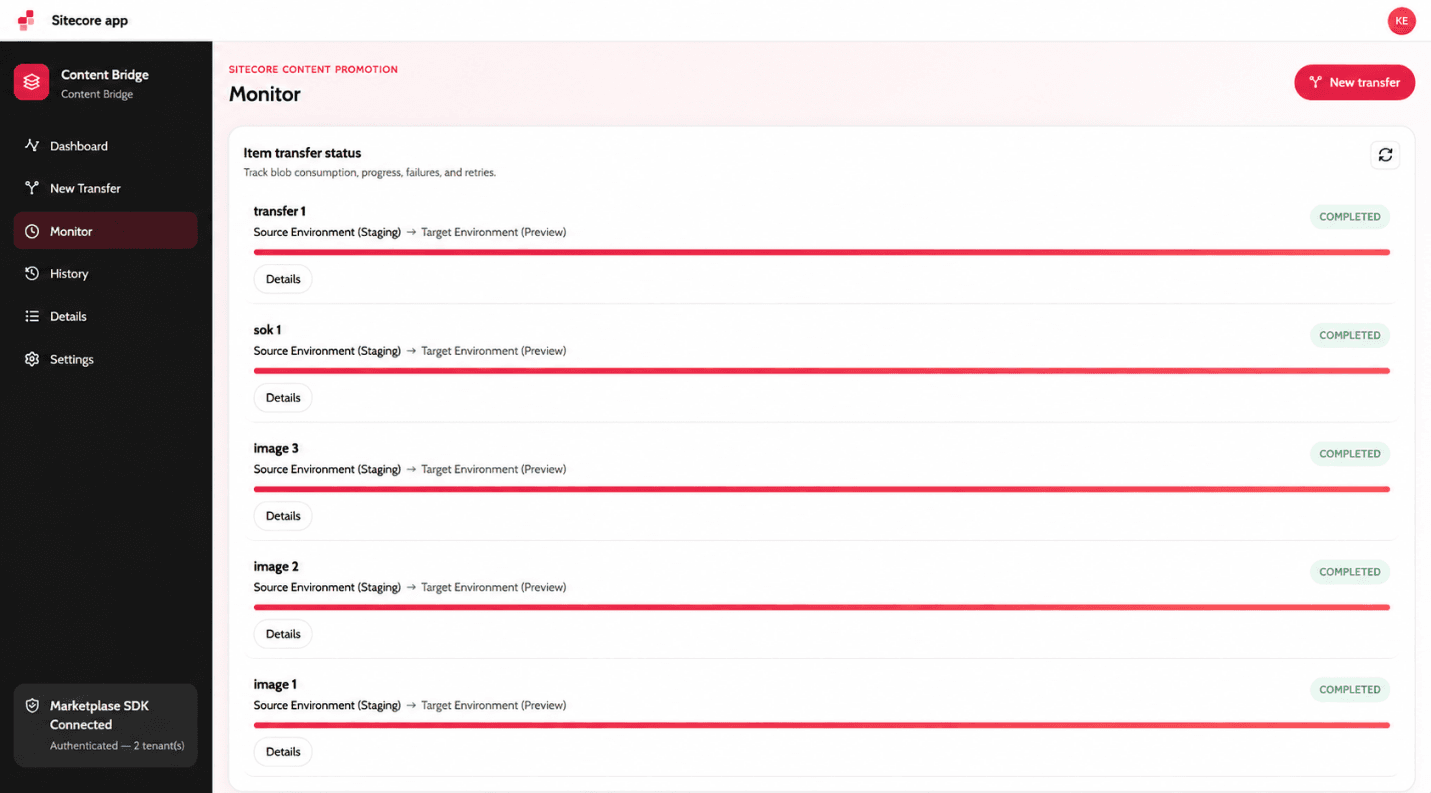
- Monitor: tracks active transfer progress and exposes retry actions for failures.
- History: provides a table of past transfer records.
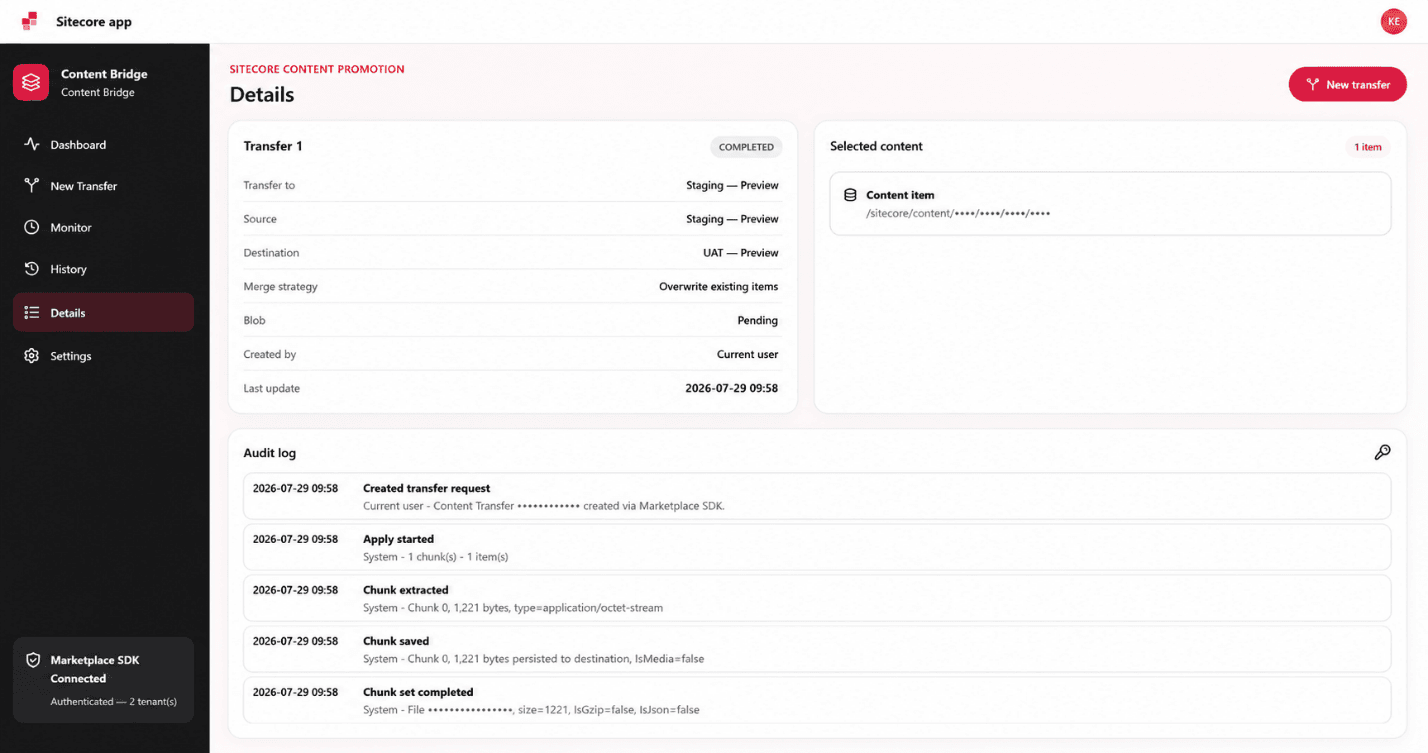
- Details: shows selected items, source and destination, merge strategy, blob state, timestamps, and audit log.
- Settings: displays Marketplace SDK connection and Content Transfer API readiness.
Content Transfer API and Item Transfer API
The implementation uses the Sitecore AI Content Transfer API exposed through the Marketplace XMC SDK. In this application, Content Transfer creates the transferable data package from the source environment, while the destination-side apply process saves chunks, completes the chunk set, consumes the generated file, and polls blob state until the transfer has been accepted or completed. The UI labels this destination apply phase as Item Transfer status because it represents the movement and application of transferred items into the target environment.
Content Transfer API usage:
xmc.contentTransfer.createContentTransfercreates a transfer using a generated transferId and a configuration containing selected dataTrees. Each data tree includes itemPath, scope ItemAndDescendants, and mergeStrategy.xmc.contentTransfer.getContentTransferStatuschecks whether the source-side transfer has completed and returns ChunkSetsMetadata.xmc.contentTransfer.getChunkdownloads each generated chunk from the source context.xmc.contentTransfer.deleteContentTransferis used during retry cleanup on a best-effort basis.
Item transfer or destination apply API usage:
xmc.contentTransfer.saveChunkwrites each downloaded chunk into the destination context. The application retries withisMedia=truewhen the API indicates a media-related save requirement.xmc.contentTransfer.completeChunkSetTransferfinalizes each chunk set and can return aContentTransferFileName.xmc.contentTransfer.consumeFileasks the destination environment to consume the completed blob file into the master database.xmc.contentTransfer.getBlobStatepolls the destination blob status until it reaches OK or Completed, or fails with an error/timeout.
How Content and Media Transfer Happens
The transfer starts with tree discovery. Content is read from /sitecore/content, and media is read from /sitecore/media library. The user can expand nodes lazily, select individual items, or select an entire subtree. Selected item IDs are converted to item paths using an internal ID-to-path map populated while loading tree data.
When the user creates a transfer, the selected paths become dataTrees with ItemAndDescendants scope. This means the selected item and its children are included. The source environment generates transfer chunks. Once source-side generation is complete, the application downloads each chunk from the source environment, normalizes the response into a Blob, validates that it is not empty, and uploads it to the destination environment.
After all chunks are saved, the application completes the chunk set and receives a content transfer file name. It normalizes this file name into a blob URI when needed, calls consumeFile against the destination master database, and then polls getBlobState. If the blob reports OK or Completed, the record is marked completed. If the API reports a failure or polling times out, the record is marked failed and the reason is stored for review and retry.
User-Friendly UI Design
The UI is designed as an operational dashboard rather than a technical API form. Users see a persistent sidebar with the major workflows, clear page titles, environment selectors, content and media tree sections, status badges, progress bars, retry buttons, and audit history. Icons from lucide-react help users quickly recognize actions such as creating a transfer, monitoring progress, viewing history, selecting subtrees, retrying failures, and checking SDK status.
- Guided wizard reduces mistakes by separating environment selection, item selection, and merge strategy.
- Disabled create button and inline hints prevent incomplete transfer requests.
- Separate Content and Media Library sections match how Sitecore users think about items.
- Progress bars and status badges make long-running operations easy to understand.
- Details and audit log provide transparency for business users and technical support teams.
- Responsive CSS adapts the layout from two-column desktop panels to one-column tablet/mobile views.
Real-World Use Cases
- A content author finishes a landing page in a development or staging environment and promotes that page, its child items, and related media to a QA environment for validation.
- A release manager moves approved campaign content from a lower environment into a pre-production environment before a scheduled launch.
- A marketing team copies a microsite folder and its media library assets from one Sitecore AI environment to another without waiting for developers to build Sitecore packages.
- A QA team reproduces production-like content in a test environment to validate rendering, personalization, or content model changes.
- A support team retries a failed transfer from the monitor page and reviews the audit log to understand whether the failure happened during chunk extraction, chunk save,
consumeFile, or blob polling. - A multi-tenant organization uses resource access from the Marketplace context to identify allowed environments and perform controlled transfers only within authorized tenant contexts.
Summary
Content Bridge modernizes Sitecore AI content promotion by replacing legacy package-based processes with a Marketplace SDK-driven application. It combines source content discovery, media selection, merge strategy control, Content Transfer API orchestration, destination apply handling, monitoring, history, retry, and audit details in a single user-friendly standalone extension.

Keyur Nayi- Technical lead - ADDACT
Technical lead - ADDACT
Keyur is a Technical Lead at Addact with 9+ years of experience in enterprise CMS and software engineering. He is certified in Sitecore XM Cloud, OrderCloud, Sitecore 10 .NET, and SitecoreAI CMS for Developers (2025), specializing in scalable, cloud-ready and AI-driven implementations.
His technical stack includes ASP.NET/Core, C#, MVC, jQuery, and Azure/AWS, enabling high-performance, cross-platform digital solutions.