
SitecoreAI CLI Configuration: Managing Items with Serialization
Published: 27 April 2026
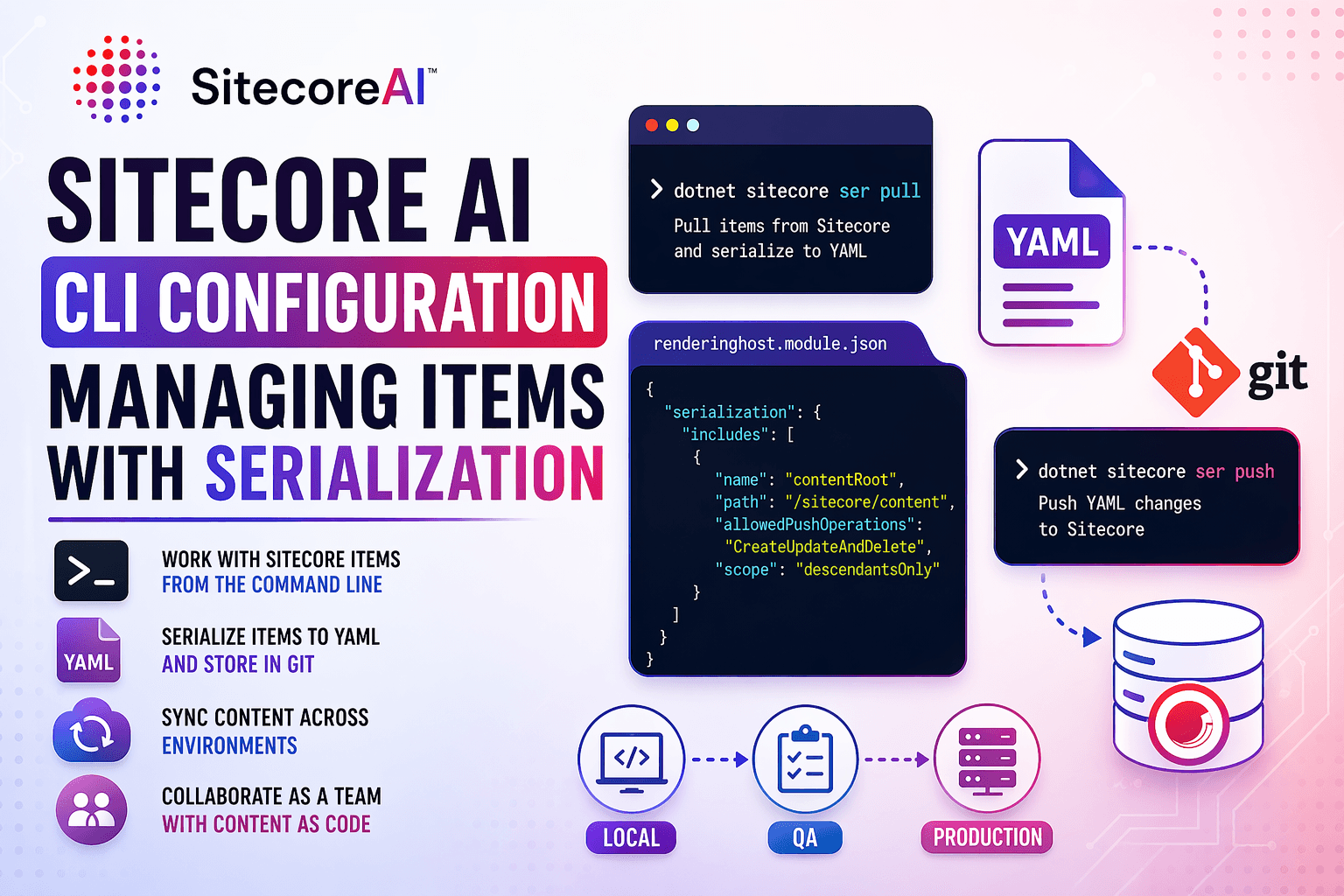
Introduction
Working with Sitecore in a team can quickly become complex when multiple developers are creating, updating, or deleting content items. This is where the Sitecore Command Line Interface (CLI) becomes a powerful tool.
With SitecoreAI, the CLI enables developers to interact with Sitecore items directly from the command line, making development faster, more consistent, and version controlled.
What is Sitecore CLI?
The Sitecore CLI is a command-line tool that allows developers to interact with a SitecoreAI instance directly from the terminal, reducing dependency on the traditional Sitecore UI.
It plays a key role in modern development by bringing automation, consistency, and version control into how Sitecore content is managed.
Using the CLI, developers can:
• Interact with Sitecore items without logging into the CMS
• Serialize content into YAML files that can be stored in Git
• Sync content across multiple environments (local, QA, production)
• Automate repetitive development and deployment tasks
One of the biggest advantages of Sitecore CLI is that it enables the concept of “Content as Code.” This means Sitecore items are no longer just managed inside the CMS, they are stored as files, tracked in repositories, and shared across teams just like application code.
In a SitecoreAI headless setup, this becomes even more powerful:
• Frontend applications (like Next.js) consume APIs
• Backend manages structured content
• CLI ensures that content changes are synchronized across all environments
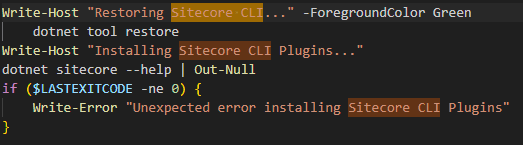
When you set up your SitecoreAI local environment (typically via Docker), CLI support is available out of the box, preconfigured with necessary plugins and serialization capabilities, allowing you to start working with it immediately.
CLI Configuration in Local Setup
During local setup, CLI configuration is usually initialized as part of your startup scripts.
This setup ensures:
• CLI is installed
• Plugins are configured
• Serialization is ready to use
Sitecore Serialization (SER)
Serialization is the process of converting Sitecore items into YAML (.yml) files so they can be stored in your Git repository.
This is essential for:
• Version control
• Team collaboration
• Environment synchronization
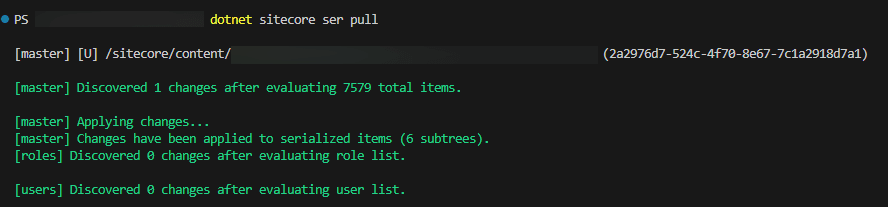
Pull Changes from Sitecore
To generate YAML files for items created or updated in Sitecore, run:
dotnet sitecore ser pullThis command:
• Reads items from your Sitecore instance
• Converts them into .yml files
• Stores them in your project
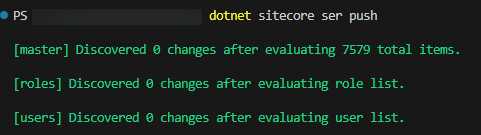
Push Changes to Sitecore
To sync YAML files back into your Sitecore instance, run:
dotnet sitecore ser pushThis command:
• Takes .yml files from your repo
• Updates Sitecore items
• Creates, updates, or deletes items accordingly
Important:
This operation can overwrite existing content, so always review changes before pushing.
Team Collaboration Workflow
Here’s how teams typically work with Sitecore CLI:
1. Developer A creates/updates items in Sitecore
2. Runs ser pull → Generates YAML files
3. Commits YAML files to Git
4. Developer B pulls latest code
5. Runs ser push → Syncs items locally
This ensures everyone stays in sync without manual effort.
Configuring Serialization Scope
Sometimes you don’t want to serialize the entire Sitecore tree. Instead, you may want to include or exclude specific nodes.
This is configured in:
renderinghost.module.json
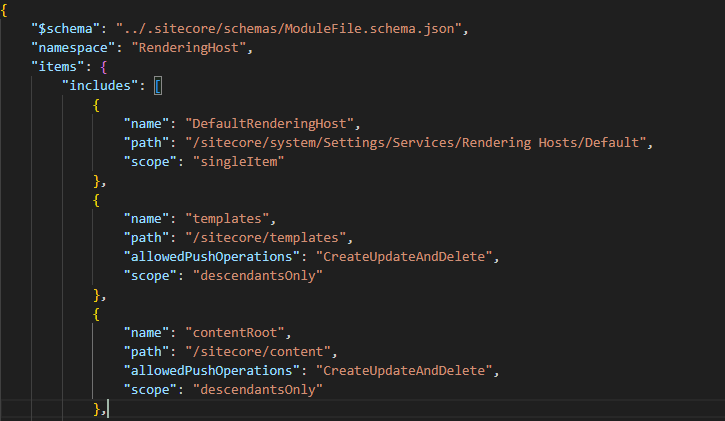
Here you can see the configuration of the Sitecore content paths that are included into sitecore CLI, if you wanted to modify this, include or remove any of this node you can use the provided node structure below and add or remove the node in the includes field.
{
          "name": "contentRoot",
          "path": "/sitecore/content",
          "allowedPushOperations": "CreateUpdateAndDelete",
          "scope": "descendantsOnly"
},
What These Fields Mean
• name → Identifier for the config
• path → Sitecore content path
• allowedPushOperations → Defines allowed actions
• scope → Limits serialization scope
Customizing Nodes
You can:
• Add new nodes to include more content
• Remove nodes to exclude content
• Narrow scope to specific items
This gives you full control over what gets serialized.
Why Use Sitecore CLI?
Using CLI with SitecoreAI provides:
• Better collaboration across teams
• Version-controlled content (via YAML)
• Faster deployments
• Reduced manual errors
• Parallel development support
Conclusion
The Sitecore CLI is an essential tool when working with SitecoreAI in a team environment. By leveraging serialization:
• Developers can work independently
• Content changes are tracked in Git
• Environments stay synchronized
This not only improves productivity but also ensures smoother delivery timelines.

Dhara Teli
Software Developer – Sitecore & .NET
Dhara is a Sitecore and .NET developer at Addact, specializing in Sitecore XM Cloud, Sitecore XP, SXA, ASP.NET MVC, C#, Web APIs, and GraphQL. She builds scalable, CMS-driven applications, develops Sitecore components, and delivers efficient, performance-focused digital solutions.