
How to conduct Deployment Groups Configuration for CI/CD?
Published: 19 October 2023
In the context of Azure DevOps and CI/CD (Continuous Integration/Continuous Deployment), Deployment Groups refer to a feature that facilitates the management and automation of deployments to multiple target machines or servers, both on-premises and in the cloud. Azure DevOps Deployment Groups provide a structured way to deploy and manage applications, scripts, or configurations on a group of machines as part of your CI/CD pipelines.
Showing how we can configure a server in our local machine for deployment groups and further we can use our local machine for target server of CD pipeline.
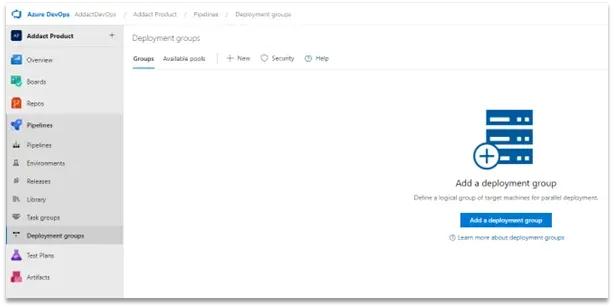
To build a CD Pipeline we need to configure a server in the deployment groups section.
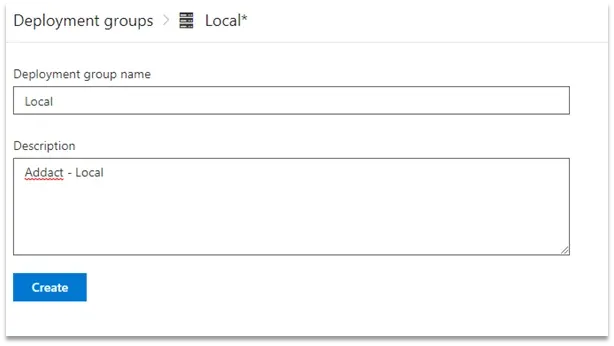
Add your details and click Create.
This will give us a script “Registration script (PowerShell)” Wherever we wanted our artifacts to deploy we need to run this script on that server “Run from an administrator PowerShell command prompt”.
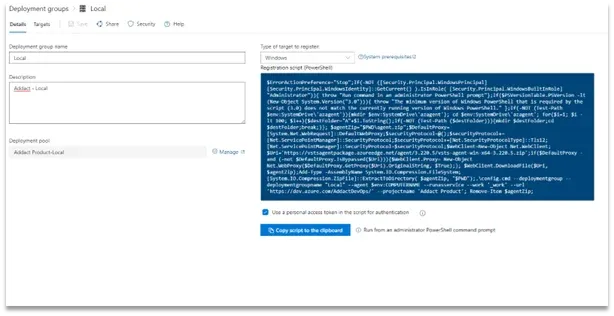
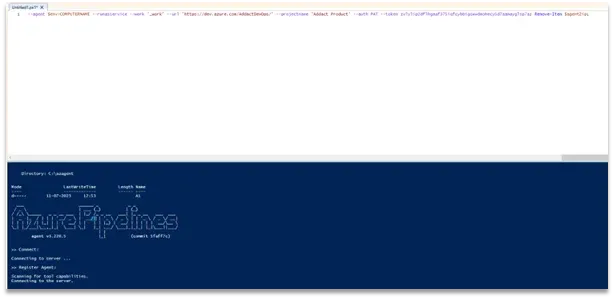
When we execute this script on the server, it creates “azagent” folder in the C: drive with the A1 folder and all configurations in it.
On the PowerShell prompt, we can see it’s connecting to the server, as shown below,
On the DevOps console under the target menu, we can see the server where we executed the script, we can see the server is Online, and the Deployment status is 1 passing which is an ideal condition for deployment.

In summary, Deployment Groups in Azure DevOps simplify the process of deploying and managing applications across various environments and target machines. They provide a structured and automated approach to deployment, ensuring consistency and reliability in your CI/CD pipelines.

Mitesh Patel || Chief Technology Officer (CTO) | ADDACT
Sitecore AI Certified || XMCloud || OrderCloud Certified
Mitesh Patel is the Chief Technology Officer (CTO) at Addact with 12+ years of experience in enterprise CMS, digital experience platforms, and cloud-native application development. He specializes in Sitecore, Contentful, Strapi, Kentico, Umbraco, Contentstack, and .NET, helping organizations build scalable, secure, and future-ready digital solutions through modern CMS, headless architectures, AI-driven experiences, and cloud technologies.