
Handler "AutowiredPageHandlerFactory" has a bad module "ManagedPipelineHandler" in its module list error on IIS
Published: 11 October 2022
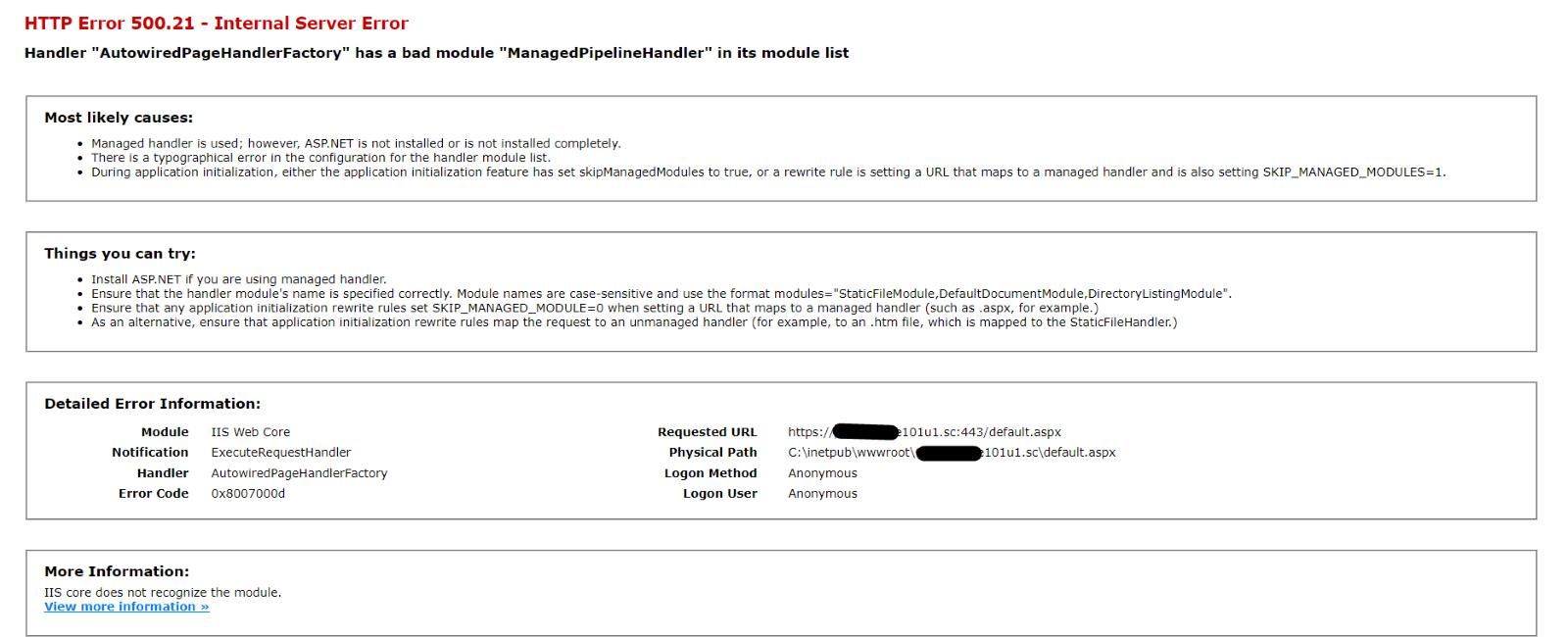
I tried to install the Sitecore Horizon editor on my local machine but after running the PowerShell script, and some execution, my working instance somehow still could not be stopped and I got the below error when I hit the website in the browser.
I even tried to uninstall the Horizon but no luck. Before I started the installation, I took backup of my root so that I can revert my root folder and yet again the original instance was still not working. After some googling, I found the solution as mentioned in this blog.
Error type: HTTP Error 500.21 - Internal Server Error
Solution:
Please follow the below steps if you are facing same issues in your instance.
- Open Application Pools of your website root.
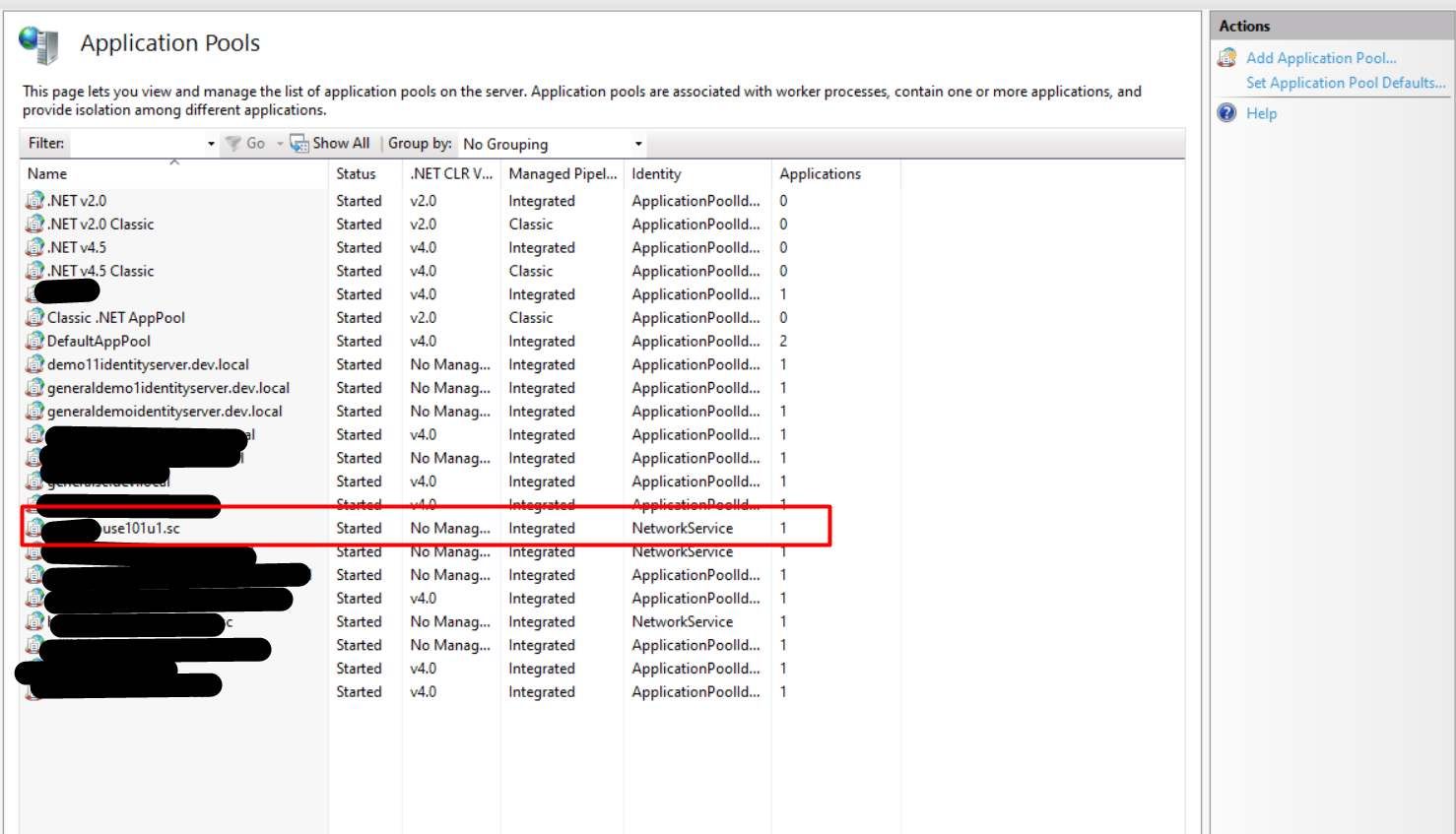
- Right-click on the application pool of your website and select the Advance setting.
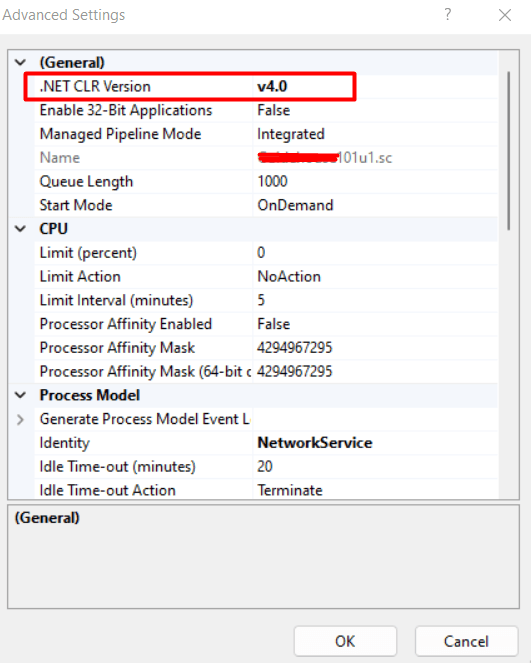
- Now select .Net CLR Version from “No managed code” to “v4.0”.
- Open command prompt as a run as administrator and run “iisreset” command.
- Now website will start working fine.

Mitesh Patel || Chief Technology Officer (CTO) | ADDACT
Sitecore AI Certified || XMCloud || OrderCloud Certified
Mitesh Patel is the Chief Technology Officer (CTO) at Addact with 12+ years of experience in enterprise CMS, digital experience platforms, and cloud-native application development. He specializes in Sitecore, Contentful, Strapi, Kentico, Umbraco, Contentstack, and .NET, helping organizations build scalable, secure, and future-ready digital solutions through modern CMS, headless architectures, AI-driven experiences, and cloud technologies.