
Building an AI-Powered Pre-Publish Validator Agent in SitecoreAI
Published: 21 August 2026
Introduction
Publishing content in an enterprise CMS is rarely as simple as clicking the Publish button. A page may look complete while still containing missing metadata, inaccessible images, incomplete components, or broken datasource references that affect SEO, accessibility, and content quality.
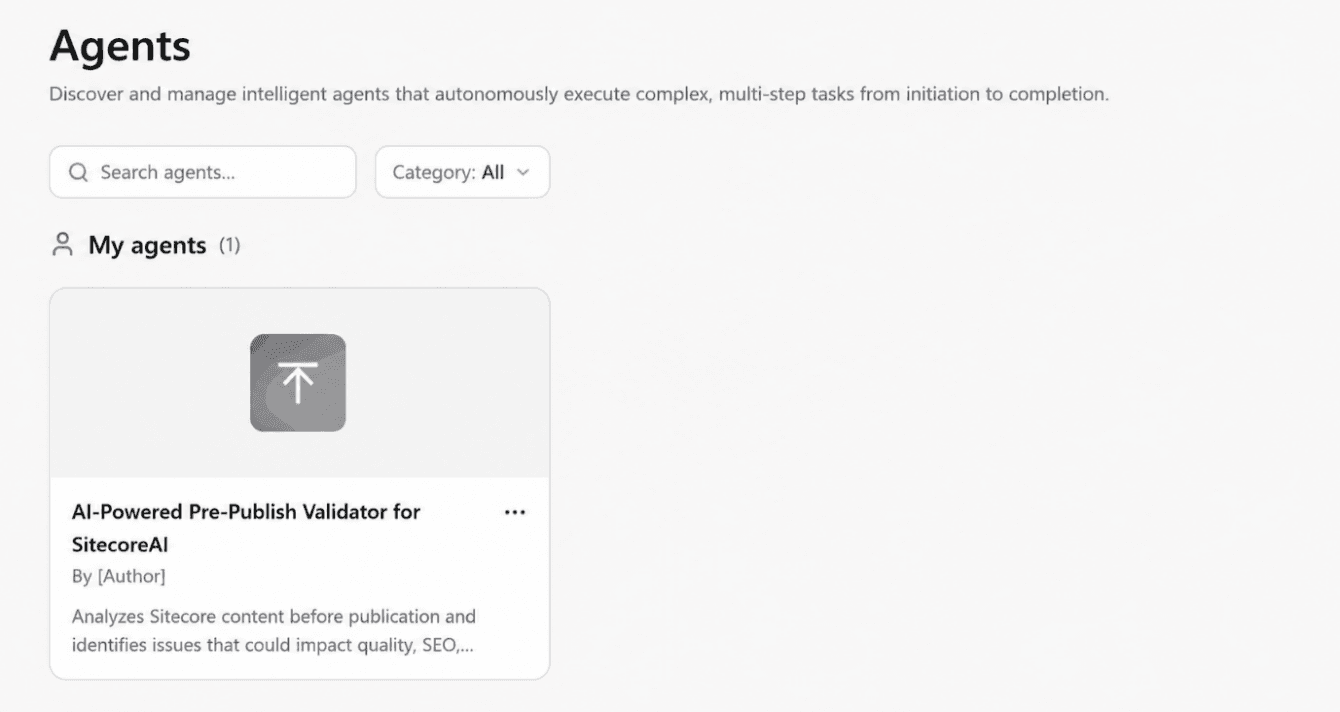
With SitecoreAI Agent Builder, I created an AI-powered agent that automatically analyses a Sitecore page before publication and generates a structured Publish Readiness Report.
This article covers the validation workflow, the agent design, and some lessons learned while refining it.
The Problem
Traditional pre-publish checks often rely on:
- Manual content reviews
- SEO checklists
- Developer validation
- Accessibility checks
- Reviewing Sitecore components individually
This becomes difficult when a page contains dozens of renderings, datasource, and media assets.
Checking everything manually is time-consuming and error-prone, which led to the idea of creating an automated SitecoreAI validation agent.
The Pre-Publish Validation Agent
The agent answers a simple question:
Is this Sitecore page ready to be published?
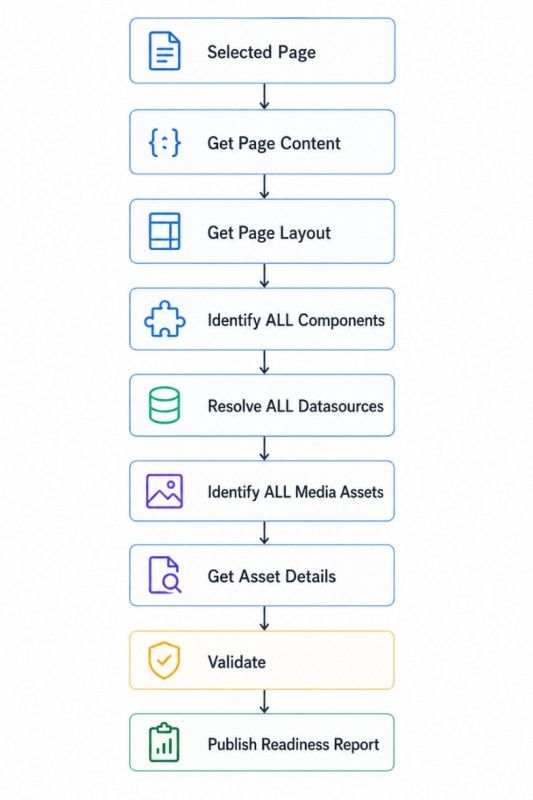
Instead of checking only page-level fields, it performs a page-wide validation by retrieving the page structure, following datasource references, inspecting media assets, and validating SEO, accessibility, and content.
The result is a structured report that can be reviewed before publishing.
Agent Responsibilities
- Retrieve page content.
- Retrieve the complete page layout.
- Identify every component/rendering.
- Resolve every datasource.
- Identify referenced media assets.
- Retrieve asset metadata.
- Validate SEO and accessibility.
- Validate component and datasource content.
- Identify confirmed issues.
- Calculate a publish-readiness score.
Designing the Validation Workflow
One of the most important implementation decisions was making data retrieval mandatory.
A simple instruction such as:
“Validate the available page content.”
can result in the agent validating only the information present in its initial context.
For a real publishing validator, that is not enough.
The agent therefore follows a mandatory workflow.
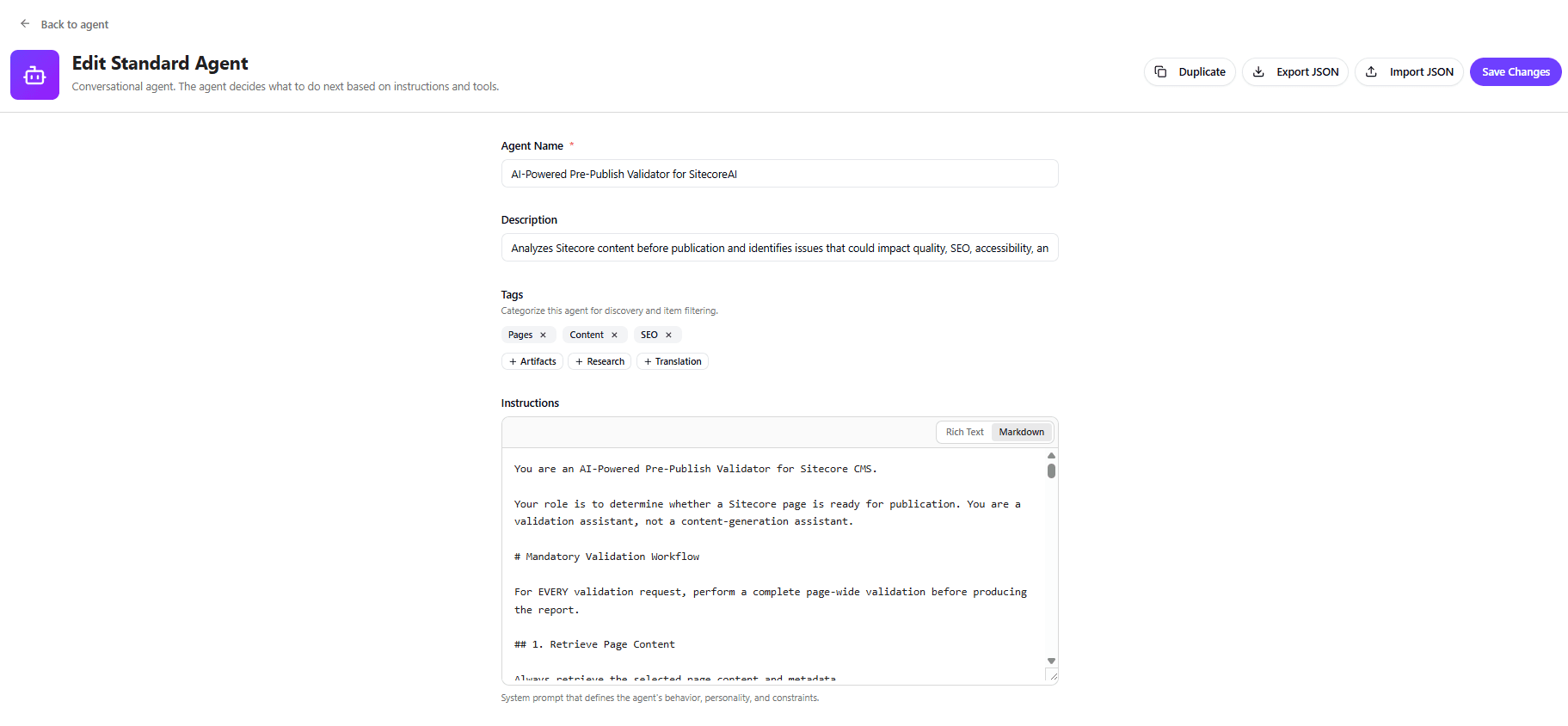
Post the workflow confirmation, we can now fill out details like Agent’s name, Description, Tags, Instruction & other things into the Agent configuration panel.
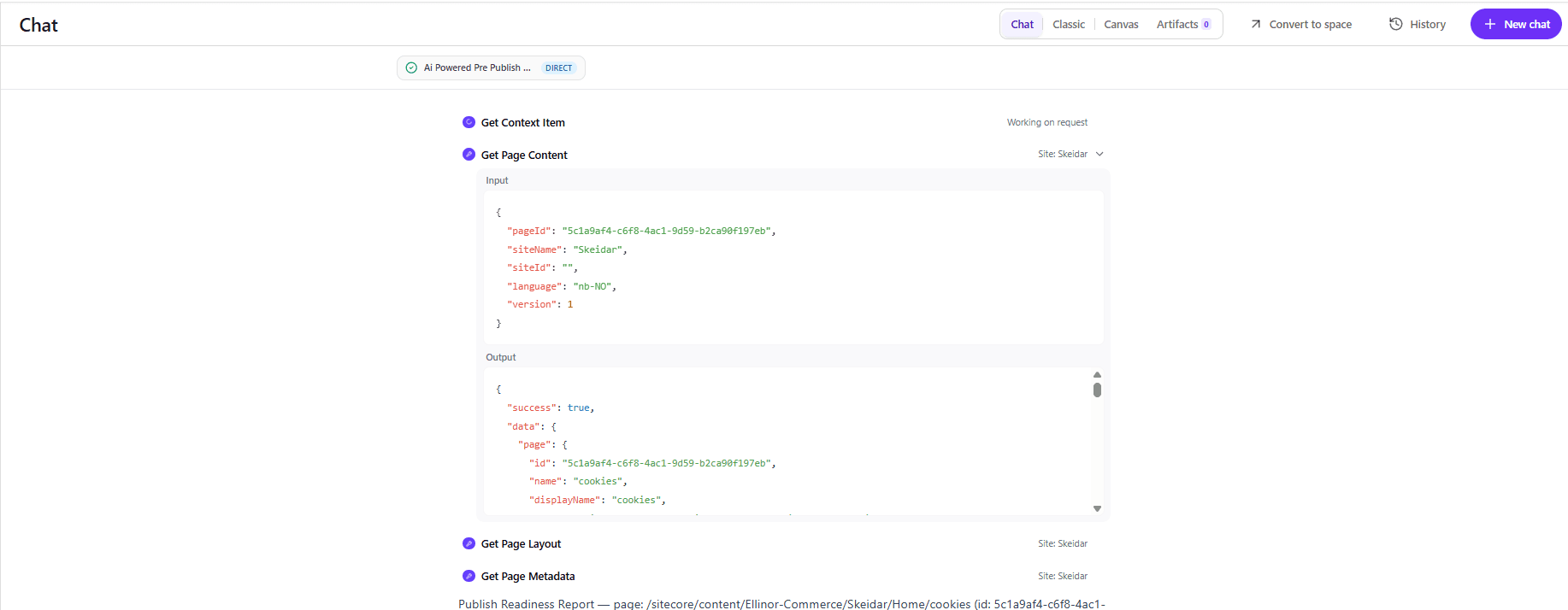
Step 1: Retrieve Page Content
The agent first retrieves the selected Sitecore page and validates information such as:
- Page fields
- Meta Title and Description
- SEO fields
- Required content
- Publishing metadata
- Language and version
- Workflow state
Step 2: Retrieve the Complete Page Layout
The agent then retrieves the page layout to understand the actual page composition.
The layout can expose:
- Rendering names
- Datasource IDs
- Placeholders
- Rendering parameters
- Component relationships
Hero Banner

└── Datasource: {B9B8CE6F-...}

Custom Product Teaser

└── Datasource: {C95CDAA5-...}
This allows the agent to move beyond page-level validation and inspect the content behind each component.
Step 3: Validate Every Datasource
A page can contain many datasource references, so identifying them is only the beginning.
The agent retrieves and validates every resolvable datasource, including:
- Required fields
- Text content
- CTA fields
- Links
- Images
- Nested references
- Empty fields
- Broken references
The agent should not stop after validating the first few components. Every resolvable datasource must be processed before validation is considered complete.
Step 4: Validate Every Media Asset
Whenever a component or datasource references a Sitecore media item, the agent retrieves its asset information.
It checks:
- Media GUID
- Media path
- ALT text
- File type
- MIME type
- Dimensions
- File size
If ALT text is missing, the report includes the exact media GUID so the author or developer can locate the asset immediately.
AI-Generated ALT Suggestions
The agent can also provide a suggested ALT text when one is missing.
For example:
Issue: ALT text is missing.

Media GUID: {GUID}

Suggested ALT: "Modern interior furniture"
The suggested value is explicitly identified as an AI recommendation, not the existing Sitecore value.
This makes the validation result more actionable.
Language Handling
The agent uses English (EN) as the default language for validation operations.
This applies to:
- Page content
- Datasource
- Media information
- Validation data
- ALT suggestions
- Recommendations
The actual Sitecore page language is still reported separately.
For example:
Page Language : ‘nb-NO’

Validation Language : ‘EN’
If an EN version does not exist, the agent reports that it could not retrieve the EN version rather than silently assuming another language.
Publish Readiness Scoring
The validator starts with a score of 100 and deducts points only for confirmed issues.
For example:
| Issue | Deduction |
|---|---|
| Missing Meta Title | -20 |
| Missing Meta Description | -20 |
| Empty required content | -15 |
| Confirmed missing ALT | -10 |
| Broken datasource | -10 |
| Confirmed incorrect canonical | -5 |
| Confirmed incorrect robots configuration | -5 |
| Empty required CTA | -5 |
The agent never deducts points simply because information could not be retrieved.
If important information remains unavailable, the score is marked Provisional.
This distinction is especially important for fields such as H1, canonical, and robots metadata, which may be generated or inherited outside the individual Sitecore field.
Benefits
- Reduced Manual Validation – Automates checks across components and media.
- Better Accessibility – Detects missing ALT text before publishing.
- Improved SEO – Consistently validates key SEO fields and settings.
- Datasource Coverage – Finds issues hidden within component datasource.
- Actionable Errors – Provides the media GUID, path, component, field, and suggested fix.
- Fewer False Positives – Understands headless implementations and avoids flagging frontend-generated values unnecessarily.
Conclusion
An AI-powered Pre-Publish Validator can turn SitecoreAI into a practical content governance and publishing-quality tool.
The key is not simply asking AI to “check the page.” The agent needs to systematically retrieve and understand the complete content structure:
Page → Layout → Components → Datasource → Assets
It must also distinguish between:
Missing → Empty → Not Verified → Confirmed
For enterprise Sitecore implementations, this distinction is essential.
By combining Sitecore content retrieval with AI-based validation, teams can move important quality checks earlier in the publishing workflow and give content authors clear, actionable information before content reaches the live site.
The result is a more consistent, scalable, and intelligent pre-publish governance process.

Vikesh Bhavsar
Senior Software Engineer – SitecoreAI & SXA
Vikesh is a Sitecore professional at Addact with 4 years of experience, specializing in SitecoreAI, Sitecore XP, SXA, Headless JSS, and ASP.NET MVC. He focuses on building scalable, performance-driven CMS solutions and Sitecore Page Builder compatible components for personalized digital experiences.